

Let’s be honest, PDFs are everywhere. Bills, resumes, study notes, office documents… everything somehow ends up as a PDF. And when you’re on Android, you don’t want to keep switching between apps just to read, edit, or convert a file.
So if you’re standing in front of me and asking, “Which PDF app should I actually use?”, this list is for you.
I’ll walk you through the 10 best PDF apps for Android, starting with one that covers almost everything, and then the rest depending on what you need. No heavy tech talk. Just real, practical advice.
Table of Contents
1. Systweak PDF Editor & Scanner
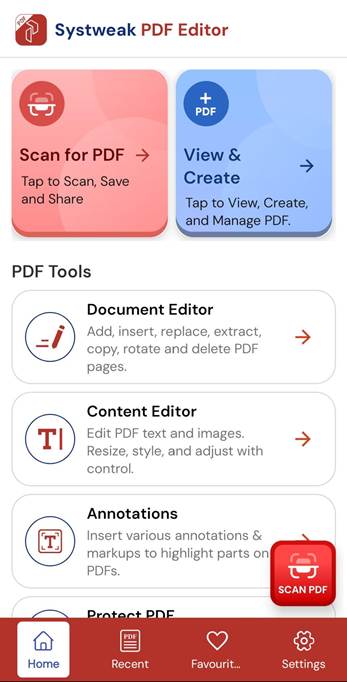
Let’s start with Systweak PDF Editor & Scanner, because it’s designed for people who want things done quickly, without confusion.
What it does well
- Read and edit PDF files
- Scan documents using your phone
- Convert PDFs to Word and other formats
- Add annotations, highlights, and signatures
- Password-protect PDFs
- Available on Windows, iPhone and Android
Who should use it
If you’re a student, working professional, or small business user who wants one app that does most PDF tasks, this is a solid option. It’s especially helpful if you often scan documents and then need to edit or share them.
2. Adobe Acrobat Reader
You’ve probably already heard of this one.
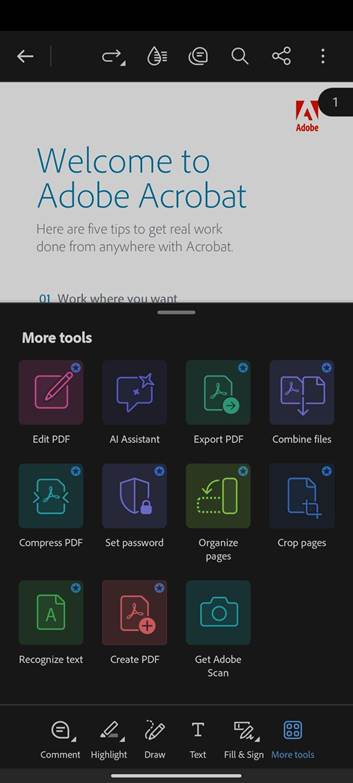
What it does well
- Very reliable PDF reader
- View, comment, and sign PDFs
- Syncs with desktop version
- Trusted format support
Who should use it
If you mostly read PDFs and only need light editing or signing, Adobe Acrobat Reader feels familiar and dependable.
3. Xodo PDF Reader & Editor
Xodo is popular because it’s fast and doesn’t feel heavy.
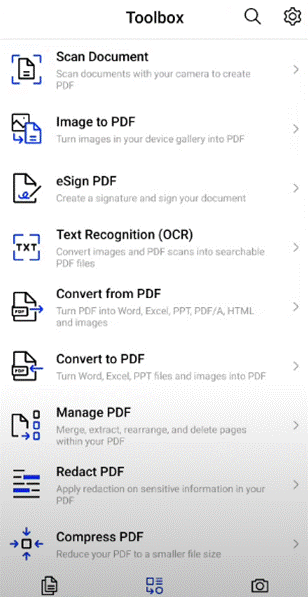
What it does well
- Smooth PDF reading
- Annotations and highlights
- Fill PDF forms
- Cloud sync support
Who should use it
Great for students and note-takers who read and mark up PDFs every day.
4. Foxit PDF Reader
Foxit focuses a lot on performance and security.
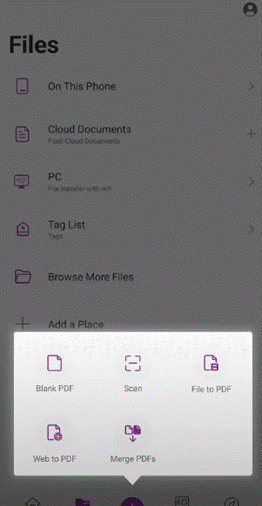
What it does well
- Fast PDF loading
- Secure document handling
- Annotation and form filling
- Works well with large files
Who should use it
If you open large or work-related PDFs and want a no-nonsense app, Foxit is a good choice.
5. WPS Office (PDF Included)
WPS Office is more than just a PDF app.
What it does well
- Read and edit PDFs
- Convert PDFs
- Office documents support (Word, Excel, PPT)
- Built-in file management
Who should use it
Perfect if you want one app for PDFs and Office files instead of installing multiple apps.
6. PDF Extra
PDF Extra focuses mainly on editing and conversion.
What it does well
- Edit text and images in PDFs
- Scan documents
- Convert PDFs to Word
- Add signatures
Who should use it
Good for users who regularly edit PDF content, not just read it.
7. CamScanner
Most people use CamScanner for scanning, but it handles PDFs well too.
What it does well
- High-quality document scanning
- Convert scans into PDFs
- OCR text recognition
- Easy sharing
Who should use it
If you scan documents often, be it receipts, notes, IDs, this app is very useful.
8. Google PDF Viewer
Simple. Lightweight. No clutter.
What it does well
- Open and read PDFs
- Fast and smooth
- No ads, no distractions
Who should use it
If all you want is basic PDF reading and nothing else, this is enough.
9. iLovePDF
This app is all about quick PDF tools.
What it does well
- Merge and split PDFs
- Compress PDF files
- Convert PDFs
- Clean and easy interface
Who should use it
Great for people who regularly modify PDFs, like rearranging pages or reducing file size.
10. Smallpdf
Smallpdf is very popular for online tools, and the Android app keeps things simple.
What it does well
- Convert PDFs
- Compress files
- Easy-to-use design
- Cloud-based support
Who should use it
If you like quick results and a clean, beginner-friendly app, Smallpdf works well.
Final Thoughts
The best PDF app really depends on what you need.
Want an all-in-one solution?
Systweak PDF Editor & Scanner is a strong starting point.
Mostly reading and annotating?
Xodo or Adobe works well.
Editing and converting a lot?
PDF Extra, iLovePDF, or Smallpdf make life easier.
Just scanning documents?
CamScanner has you covered.
If you’re dealing with PDFs almost daily, having the right app on your Android phone can save a lot of time and frustration.
